> For the complete documentation index, see [llms.txt](https://docs.datasentinel.io/manual/llms.txt). Markdown versions of documentation pages are available by appending `.md` to page URLs; this page is available as [Markdown](https://docs.datasentinel.io/manual/changelog/2021.md).
# 2021
Datasentinel releases from 2021.
{% updates format="full" %}
{% update date="2021-10-18" tags="feature,improvement,changes" %}
## V2021.10
#### User API
> A **comment** property has been added to [User Management API](/manual/implementation/platform-usage/api-reference/user.md)
#### PostgreSQL 14
> Datasentinel is compatible with [PostgreSQL 14](https://www.postgresql.org/docs/14/index.html), taking into account the **query\_id** column in the sampling of active sessions ([pg\_stat\_activity](https://www.postgresql.org/docs/14/monitoring-stats.html#MONITORING-PG-STAT-ACTIVITY-VIEW))
#### Progress Reporting
> Real-time progress reporting for **COPY** operations is now implemented in the [Live360 module](/manual/features/key-features/live360.md).
> {% endupdate %}
{% update date="2021-07-26" tags="feature,improvement,fix,changes,fixes" %}
## V2021.07
#### User management via API
> Manage users and roles through the API.
{% content-ref url="/spaces/lcWi6G1jtNuyGT9C0pkc/pages/7OpT9RFUa8A64C7B8awR" %}
[Role](/manual/implementation/platform-usage/api-reference/role.md)
{% endcontent-ref %}
{% content-ref url="/spaces/lcWi6G1jtNuyGT9C0pkc/pages/PEkFNsuq5YqVposp2CLG" %}
[User](/manual/implementation/platform-usage/api-reference/user.md)
{% endcontent-ref %}
#### Linux Compatibility
> The platform is now available on **Debian Buster** and **Debian Stretch** distributions
#### Docker
> The agent is available as a container image.
{% content-ref url="/pages/2KbDUrlg1fl5KIH6wI6G" %}
[Broken mention](broken://pages/2KbDUrlg1fl5KIH6wI6G)
{% endcontent-ref %}
#### Fixes
* [Live360 module](/manual/features/key-features/live360.md):
When transitioning to a new PostgreSQL cluster, DataSentinel now automatically selects all databases when the chosen database selection is unavailable. This prevents errors from occurring.
{% hint style="info" %}
To take advantage of this fix, ensure your agents are updated to at least version 2.6.0 or higher
{% endhint %}
{% endupdate %}
{% update date="2021-05-01" tags="feature,changes" %}
## V2021.05
#### High Availability Architecture
> You now have the capability to monitor your complete architecture, including both the master and read-only replicas.
{% embed url="" %}
Blog Post
{% endembed %}
{% hint style="info" %}
To take advantage of this feature, ensure your agents are updated to at least version 2.6.0 or higher
{% endhint %}
{% endupdate %}
{% update date="2021-04-01" tags="feature,improvement,fix,changes,fixes" %}
## V2021.04
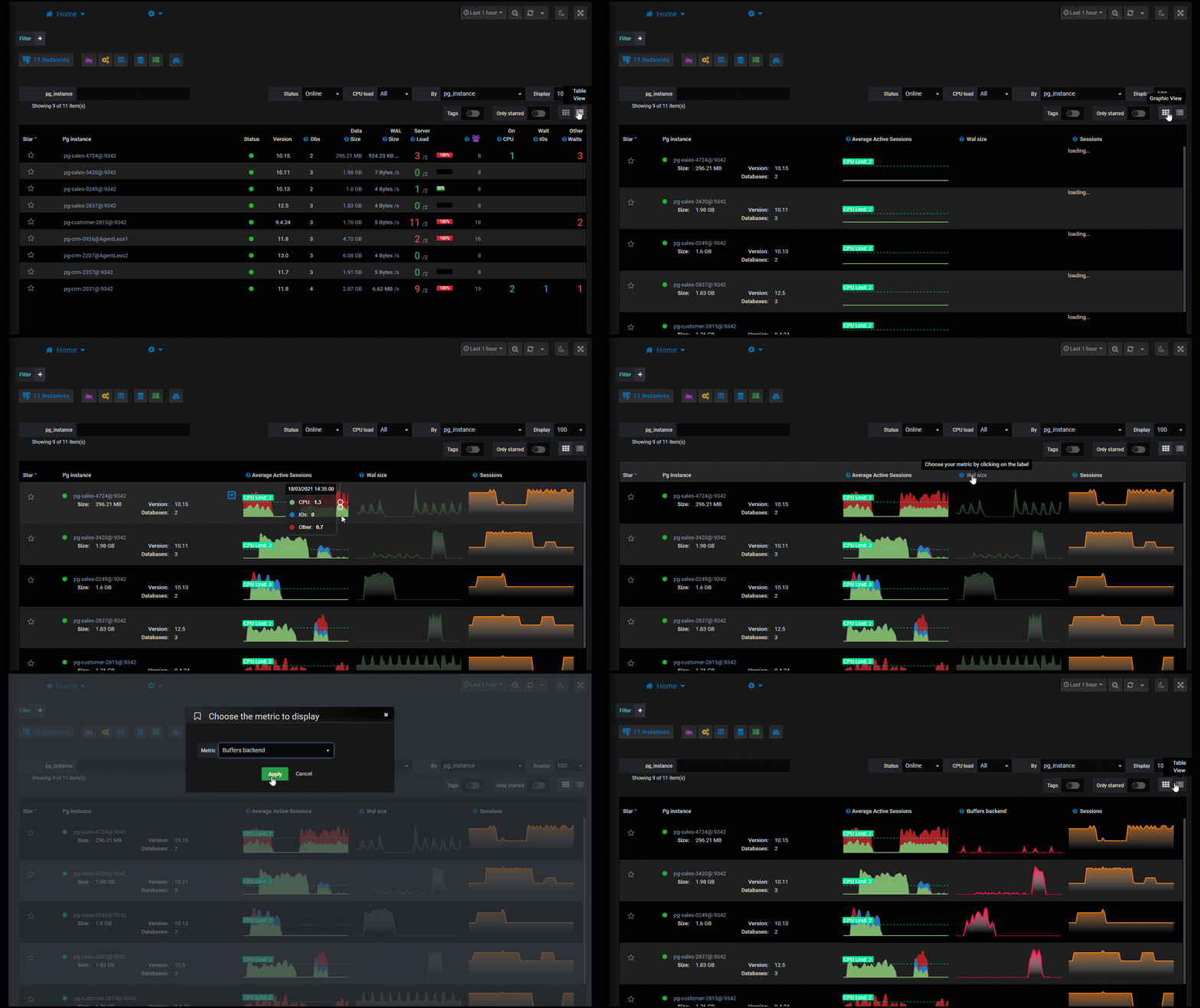
#### Homepage
> Directly view the activity of your instances or groups of instances thanks to the customisable charts.
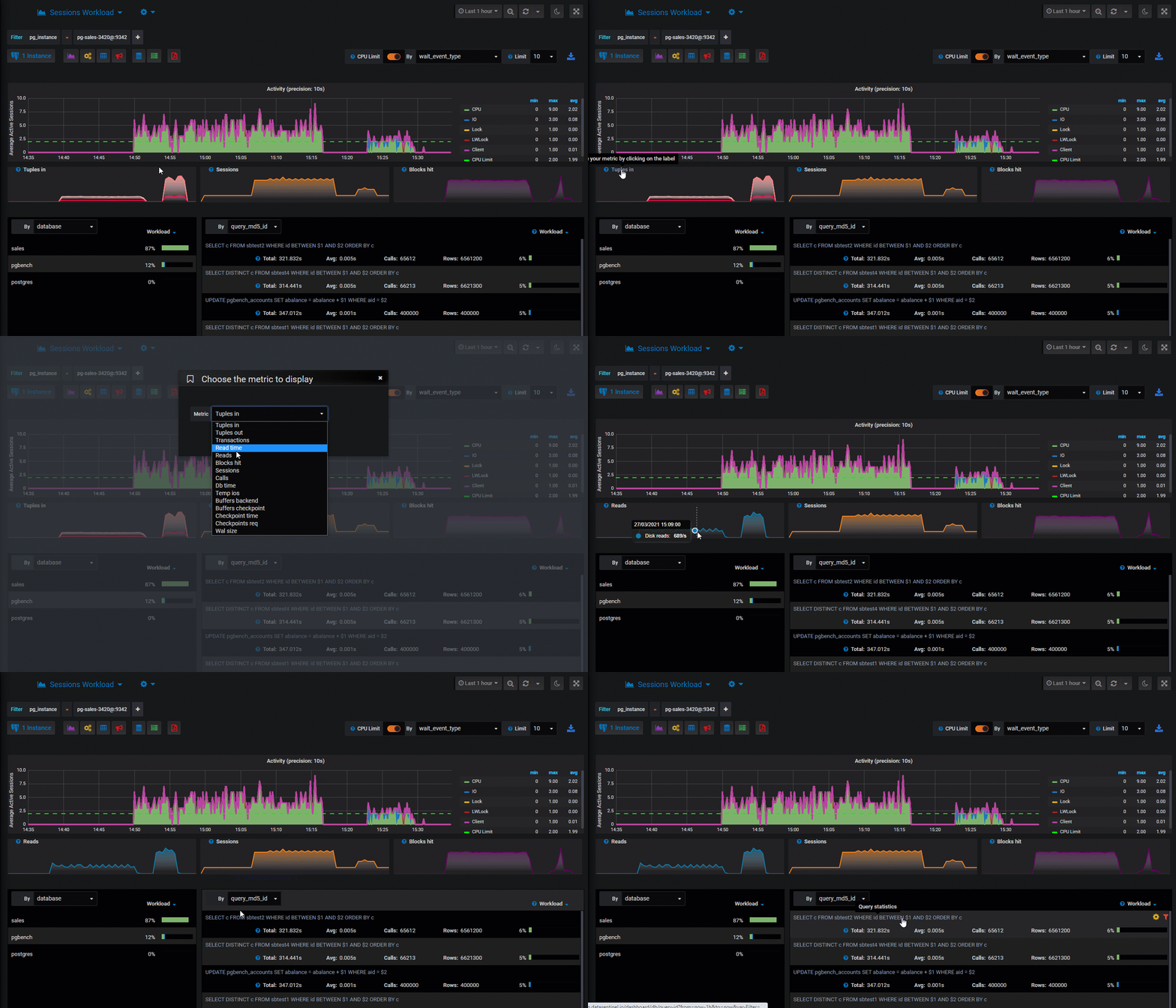
#### Correlate Activity Metrics.
> Customizable charts have been introduced to the [Session History](/manual/features/key-features/session-history.md), [Top Queries](/manual/features/key-features/top-queries.md), and [Top Tables](/manual/features/key-features/top-tables.md) modules. These charts facilitate the seamless correlation of activity metrics.
{% content-ref url="/spaces/lcWi6G1jtNuyGT9C0pkc/pages/dbLGoTRlMNoFwgFYcbNF" %}
[Metric Correlation](/manual/features/tips-and-hints/metric-correlation.md)
{% endcontent-ref %}
#### Session History
> Execution statistics from pg\_stat\_statements are now presented in the [Session History](/manual/features/key-features/session-history.md) module.
#### Query Samples
> Query samples are now collected, with a maximum of one per hour. This feature can be disabled at the instance level through the [API.](/manual/implementation/agent-usage/api-reference.md)
#### Dark Mode
> An icon resembling a moonlight is now situated at the top right corner of the screen. This enables users to easily toggle between dark and light modes.
#### Fixes
* Sql Text format option in query dashboard
* Live360 Blocking sessions, maintenance operations when using PostgreSQL 9.6
* Live360 layout in sessions dashboard when using a small screen resolution
{% endupdate %}
{% update date="2021-02-01" tags="feature,changes" %}
## V2021.02
#### Live360
> Datasentinel introduces its new Live360° feature:
>
> Thanks to direct connections, this feature provides precision and additional information on the context, which will offer you a valuable and indispensable help during your performance analyzes:
* Current and blocking sessions.
* Relations Explorer, a tool designed to provide an in-depth view of statistics. This includes detailed insights into tables, indexes, columns, extended statistics, and more.
* Disk and Memory cache usage.
* Generate execution plans for any query and analyze them using our execution plan visualizer.
* Real-time progress reporting for various operations such as Vacuum, Analyze, Index creation and more.
{% content-ref url="/spaces/lcWi6G1jtNuyGT9C0pkc/pages/6m2QWxqCtnDKY67DLi9v" %}
[Live360](/manual/features/key-features/live360.md)
{% endcontent-ref %}
{% endupdate %}
{% endupdates %}
---
# Agent Instructions
This documentation is published with GitBook. GitBook is the documentation platform designed so that both humans and AI agents can read, navigate, and reason over technical content effectively. Learn more at gitbook.com.
## Querying This Documentation
If you need additional information that is not directly available in this page, you can query the documentation by asking a question.
Perform an HTTP GET request on the following URL with the `ask` and `goal` query parameters:
```
GET https://docs.datasentinel.io/manual/changelog/2021.md?ask=&goal=
```
`ask` is the immediate question: it should be specific, self-contained, and written in natural language.
`goal` is what the user is ultimately trying to achieve, the reason they need the answer. Sharing it helps GitBook give you a better, more relevant answer. A goal is most helpful when it describes the outcome the user wants rather than restating the question. For example, with `ask=how do I create an API token`, a goal like `automate deployments from our CI pipeline` lets GitBook tailor the answer to that use case.
The response will contain a direct answer to the question and relevant excerpts and sources from the documentation.
Use this mechanism when the answer is not explicitly present in the current page, you need clarification or additional context, or you want to retrieve related documentation sections.