# Monitor Cloud-Managed Instances

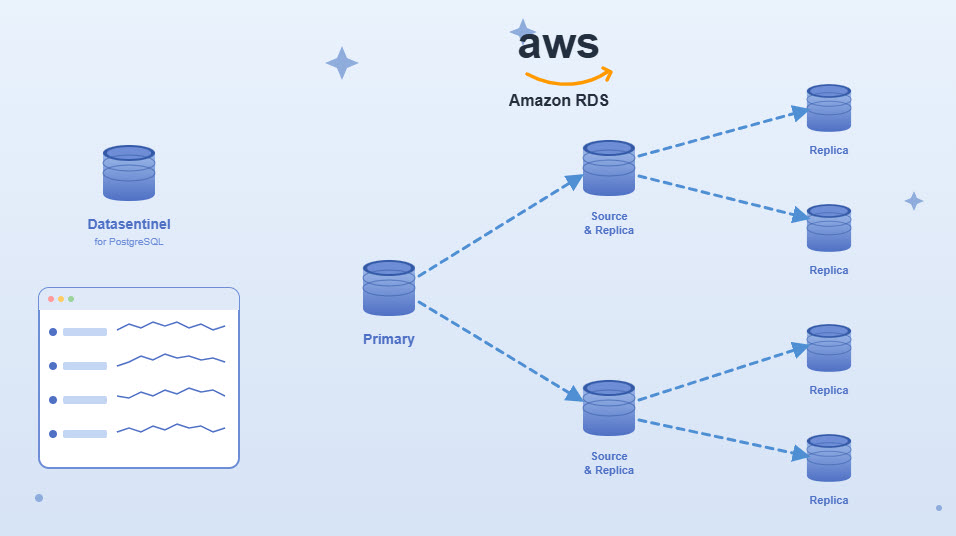
This guide focuses on **AWS RDS** as a representative example, but the same monitoring principles and configuration approach apply to other supported cloud-managed PostgreSQL services.

<div data-with-frame="true"><figure><img src="/files/Nui7cQ4WH8LFOBhireJG" alt=""><figcaption></figcaption></figure></div>

## Supported Monitoring Approach

AWS RDS PostgreSQL instances are monitored using the [**Agentless approach**](broken://pages/qnpku9OgUlxQYdp69B54).

* Monitoring relies on direct database connections and cloud-native capabilities

AWS RDS PostgreSQL instances are declared in Datasentinel like any other PostgreSQL instance, using **agentless registration**.

During registration, you can:

* Specify the RDS endpoint and port
* Provide database credentials
* Associate tags for filtering, analysis, and access control

[**Tags**](broken://pages/FO20mthj1Oz13rIFC3Hr) such as `environment`, `application`, or `provider=aws` are recommended.

## Read Replicas and High Availability

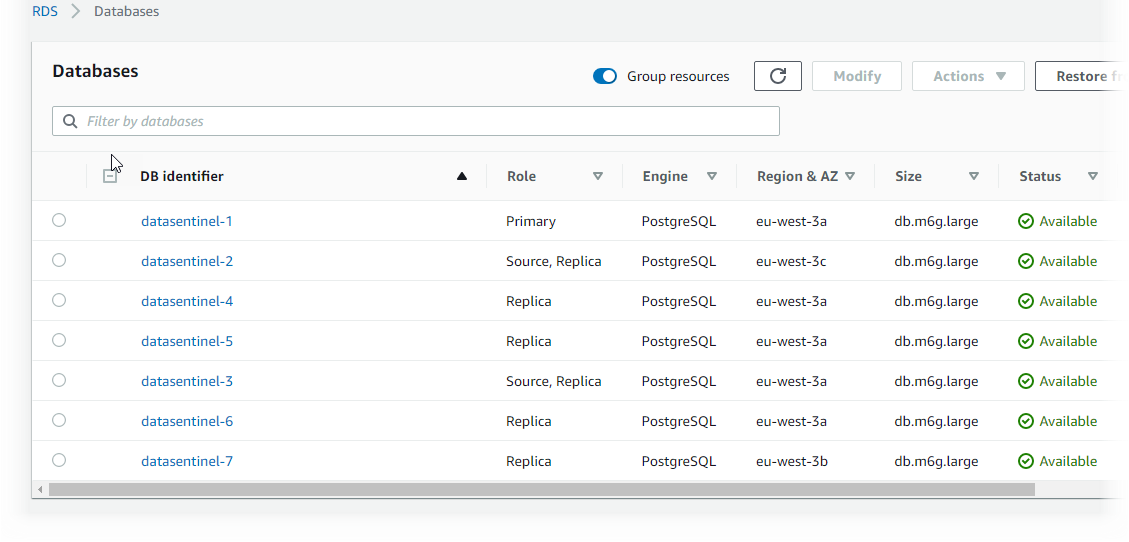
For RDS [**deployments with replicas**](broken://pages/M4spEEe1hCZCmxnCnV0k):

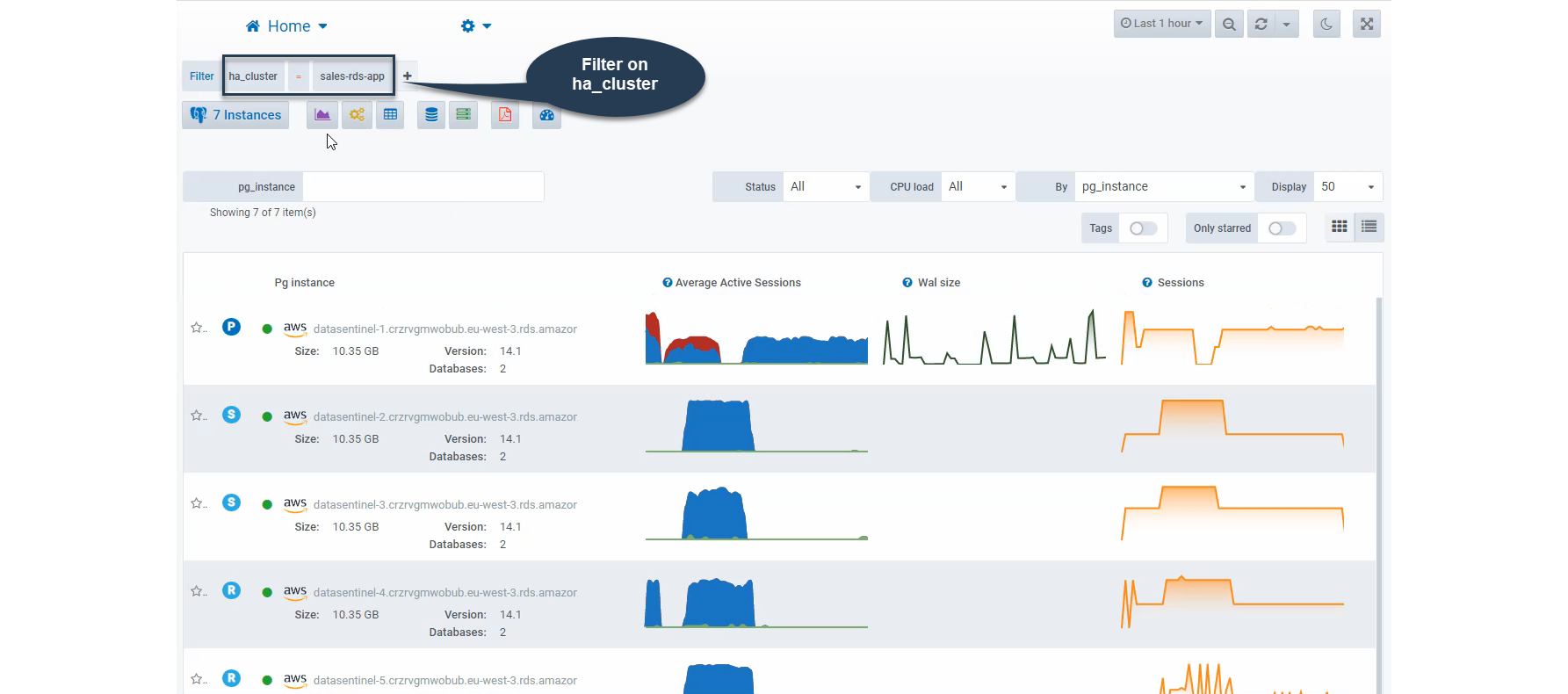
* Datasentinel automatically detects primary and read-only replicas
* Replica roles are identified dynamically

<figure><img src="/files/C8L0WRxhtG50Pv0NiHAl" alt=""><figcaption></figcaption></figure>

This allows you to analyze workload distribution and replication behavior across your RDS cluster.

<div data-with-frame="true"><figure><img src="/files/ZIfDnanyjuQXOEnYeQR3" alt=""><figcaption></figcaption></figure></div>

## Viewing Replication Statistics

For RDS PostgreSQL replicas, Datasentinel collects replication-related metrics, including:

* **Replication delay**, showing how far replicas lag behind the primary
* **WAL delta size**, representing the volume of data remaining to be replicated

These metrics help assess replication health and detect lagging replicas that may impact read scalability or failover readiness.

## Consolidated Workload Analysis

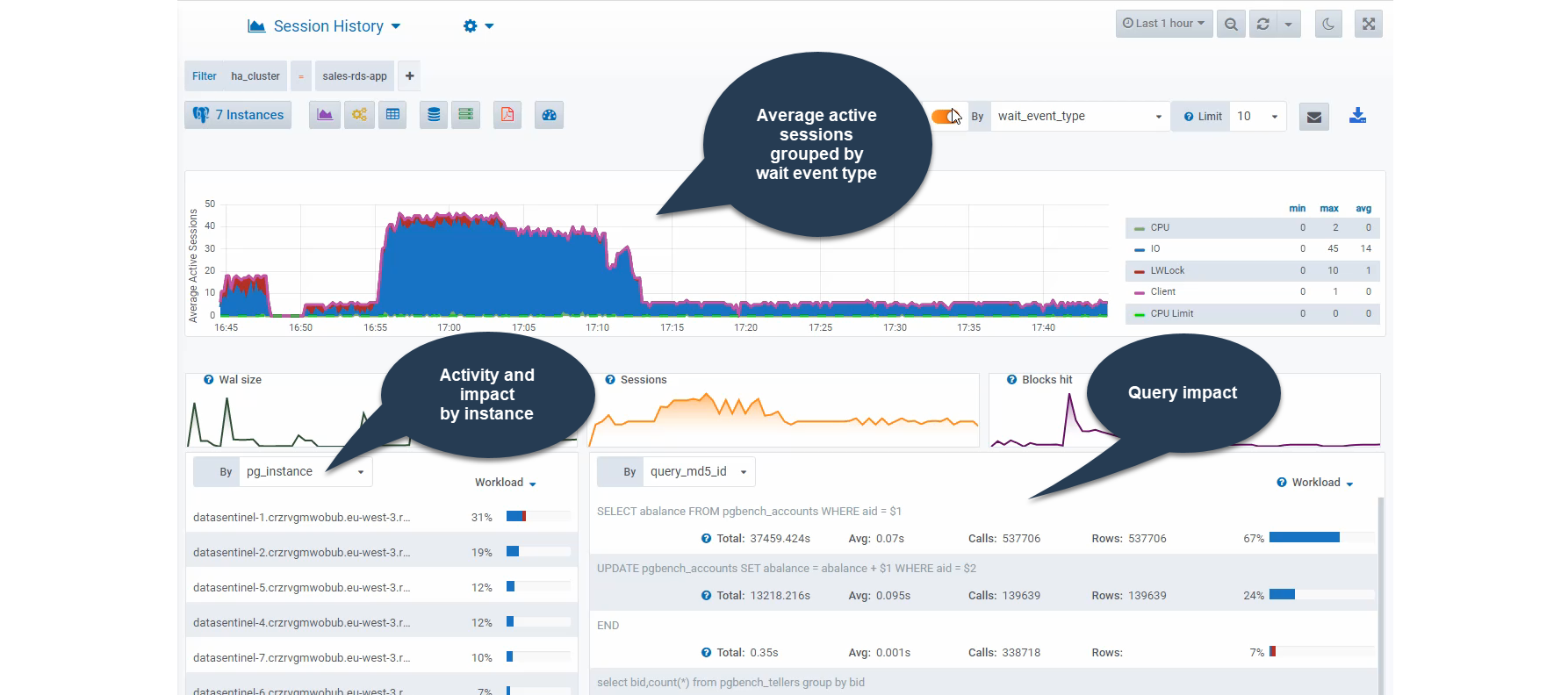
Datasentinel provides consolidated views that allow you to analyze activity across multiple RDS instances or replicas.

Using dashboards and analysis modules, you can:

* View [**Top Queries**](broken://pages/0z3m1C0QshZ1dCVZ6tw7) across all RDS instances of an application
* Analyze [**DB workloads**](broken://pages/yUGnw5CyiREJgqkA9ALe) between primary and replicas
* Identify read vs write traffic patterns

<figure><img src="/files/CDx2GP1TX0SFoFRvKo0X" alt=""><figcaption></figcaption></figure>

## Role-Based Access Control

Datasentinel’s [**role-based access control (RBAC)**](broken://pages/XpwouTmv9sm8pybTAScA) integrates seamlessly with AWS RDS monitoring.

By defining roles based on instance tags, administrators can:

* Restrict user access to specific RDS environments
* Grant application-level visibility across RDS instances
* Isolate production RDS clusters from non-production access

RBAC rules apply dynamically as new RDS instances are added or tags change.

## Limitations and Notes

* Operating system–level metrics are not available for RDS instances

These limitation is inherent to managed PostgreSQL services.

## Best Practices

* Use [**consistent tags**](broken://pages/FO20mthj1Oz13rIFC3Hr) across all AWS RDS instances
* Combine instance-level and consolidated views
* Monitor replication lag regularly in read-heavy architectures
* Use [**RBAC**](broken://pages/XpwouTmv9sm8pybTAScA) to enforce least-privilege access

## Conclusion

Datasentinel enables secure, agentless monitoring of cloud managed PostgreSQL instances, providing visibility into workload, replication behavior, and high-availability configurations.&#x20;

By combining tagging, consolidated analysis, and role-based access control, organizations can effectively monitor and manage PostgreSQL workloads running on cloud managed instances at scale.


---

# Agent Instructions: Querying This Documentation

If you need additional information that is not directly available in this page, you can query the documentation dynamically by asking a question.

Perform an HTTP GET request on the current page URL with the `ask` query parameter:

```
GET https://docs.datasentinel.io/manual/guides/readme/monitor-cloud-managed-instances.md?ask=<question>
```

The question should be specific, self-contained, and written in natural language.
The response will contain a direct answer to the question and relevant excerpts and sources from the documentation.

Use this mechanism when the answer is not explicitly present in the current page, you need clarification or additional context, or you want to retrieve related documentation sections.