# Monitor High-Availability Clusters

<div data-with-frame="true"><figure><img src="/files/8lfURFOnF0ZRZ9vIrBuu" alt=""><figcaption></figcaption></figure></div>

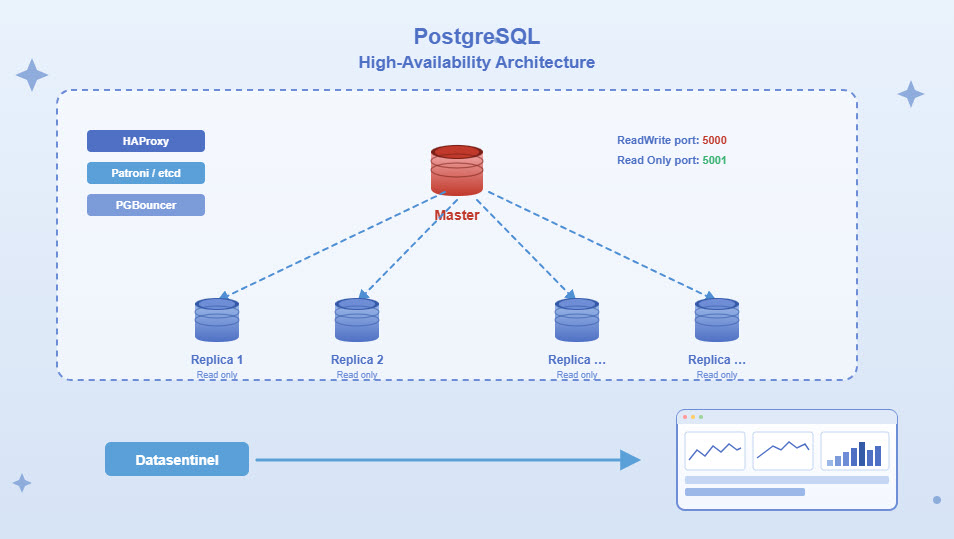
This guide explains how Datasentinel detects and manages HA clusters, how instances are grouped, and how to analyze workload and activity in highly available PostgreSQL environments.

## HA Cluster Detection

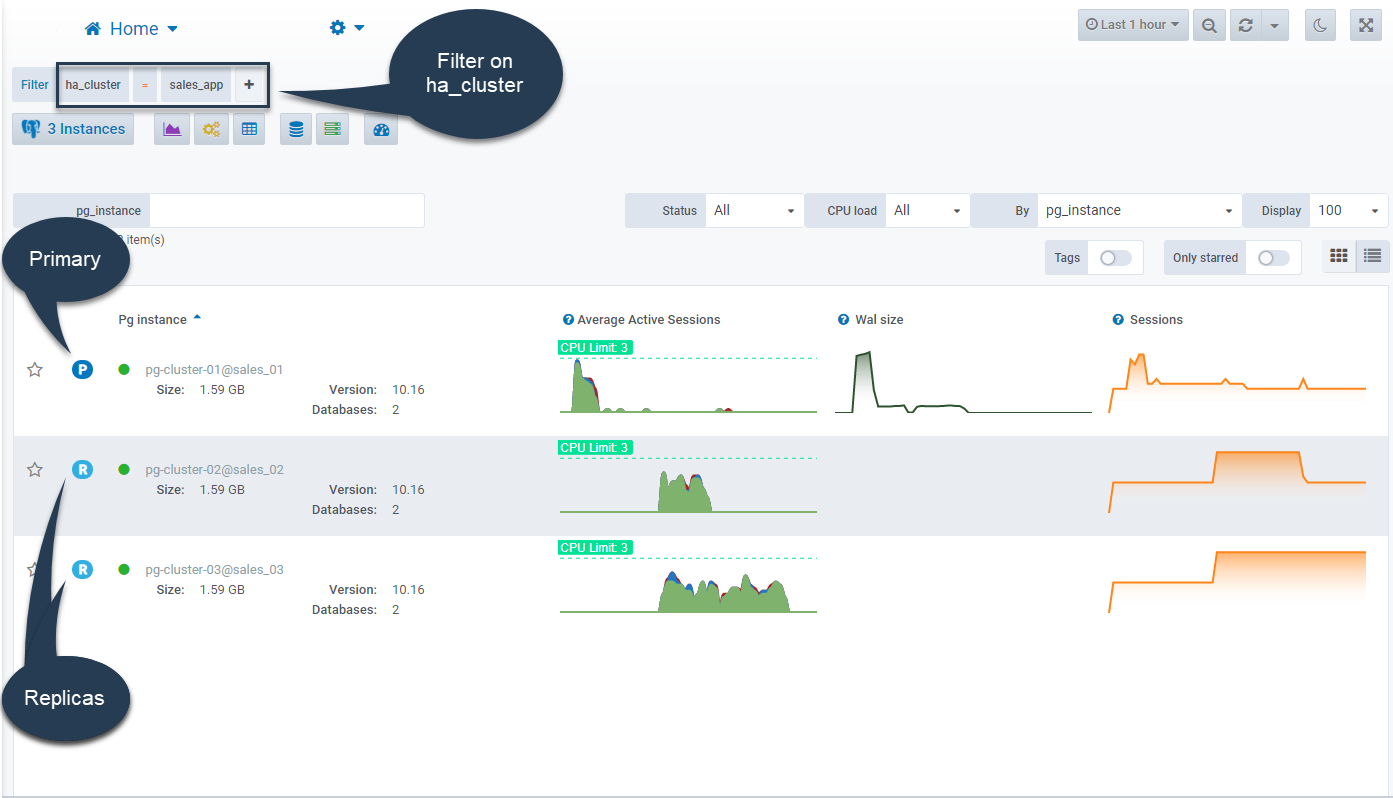
Datasentinel automatically detects the role of each PostgreSQL instance, identifying primary instances and read-only replicas based on runtime characteristics.

{% hint style="info" %}
If a failover occurs, Datasentinel updates instance roles automatically to reflect the new cluster topology.
{% endhint %}

## Using Tags with HA Clusters

[**Tags**](broken://pages/FO20mthj1Oz13rIFC3Hr) can be applied to PostgreSQL instances that belong to an HA cluster.

When instances share the same tag (for example, `ha_cluster=sales-app`), you can:

* Analyze the consolidated workload of the cluster
* Apply[ **role-based access control (RBAC)**](broken://pages/XpwouTmv9sm8pybTAScA) at the cluster level
* [**Filter dashboards**](broken://pages/FO20mthj1Oz13rIFC3Hr) and reports by cluster or application

Tags combined with HA awareness provide powerful grouping and access-control capabilities.

## Consolidated Cluster View

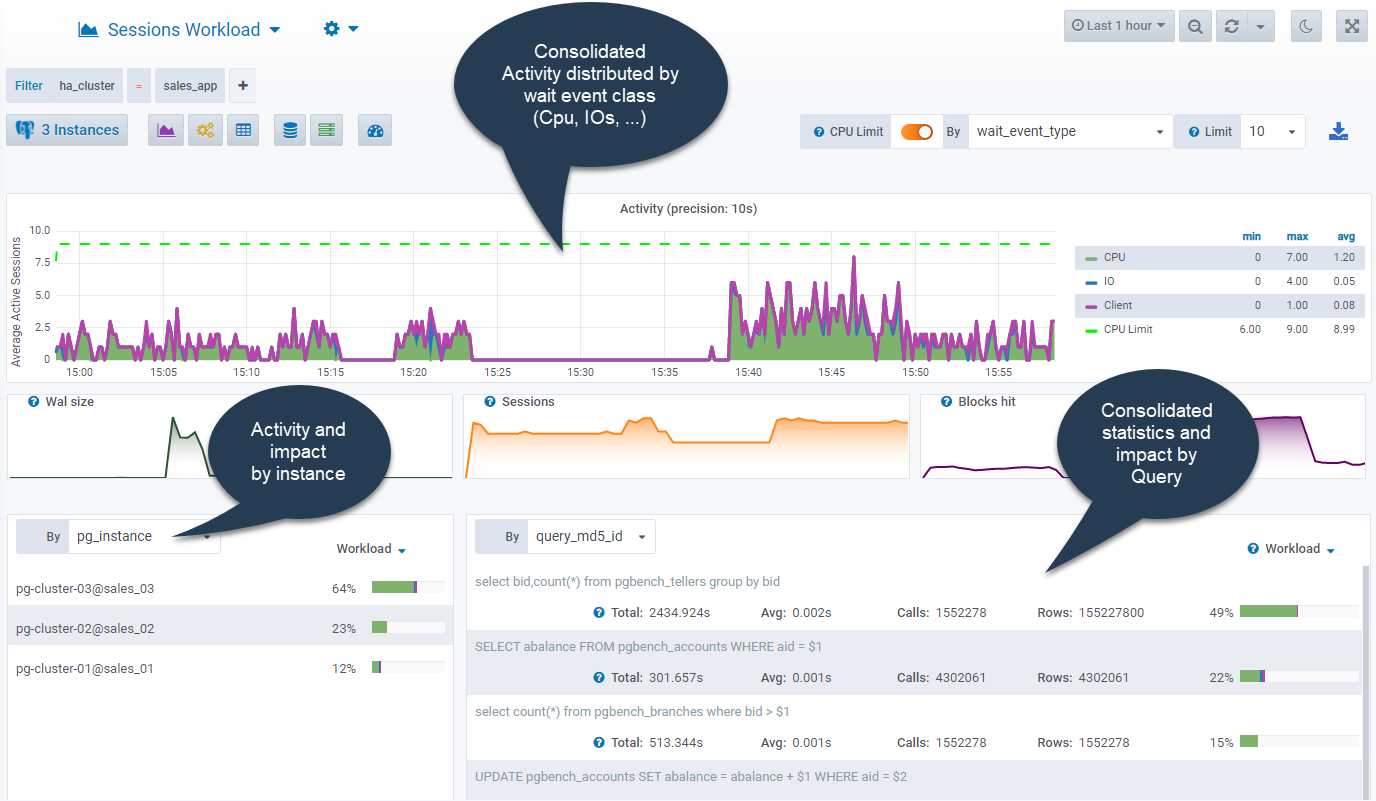
Datasentinel provides a **cluster-level view** that aggregates activity across all instances in the HA cluster.

This allows you to:

* Analyze total workload across the cluster
* Compare activity between primary and replicas
* Identify load distribution and imbalance

Cluster-level analysis removes the need to inspect each instance individually.

<div data-with-frame="true"><figure><img src="/files/4Ifsu1TS9vGWdl8dcxYn" alt=""><figcaption></figcaption></figure></div>

## Workload Analysis Across HA Clusters

Using Datasentinel dashboards and analysis modules, you can:

* View [**Top Queries**](broken://pages/0z3m1C0QshZ1dCVZ6tw7) across the entire cluster
* Analyze [**Session Activity**](broken://pages/yUGnw5CyiREJgqkA9ALe) on primary and replicas
* Identify queries executed on replicas only
* Detect replication-aware workload patterns

This is particularly useful for understanding how applications leverage read replicas.

<div data-with-frame="true"><figure><img src="/files/AUrPvhMDWlxMwFgRh44i" alt=""><figcaption></figcaption></figure></div>

## Viewing Replication Statistics

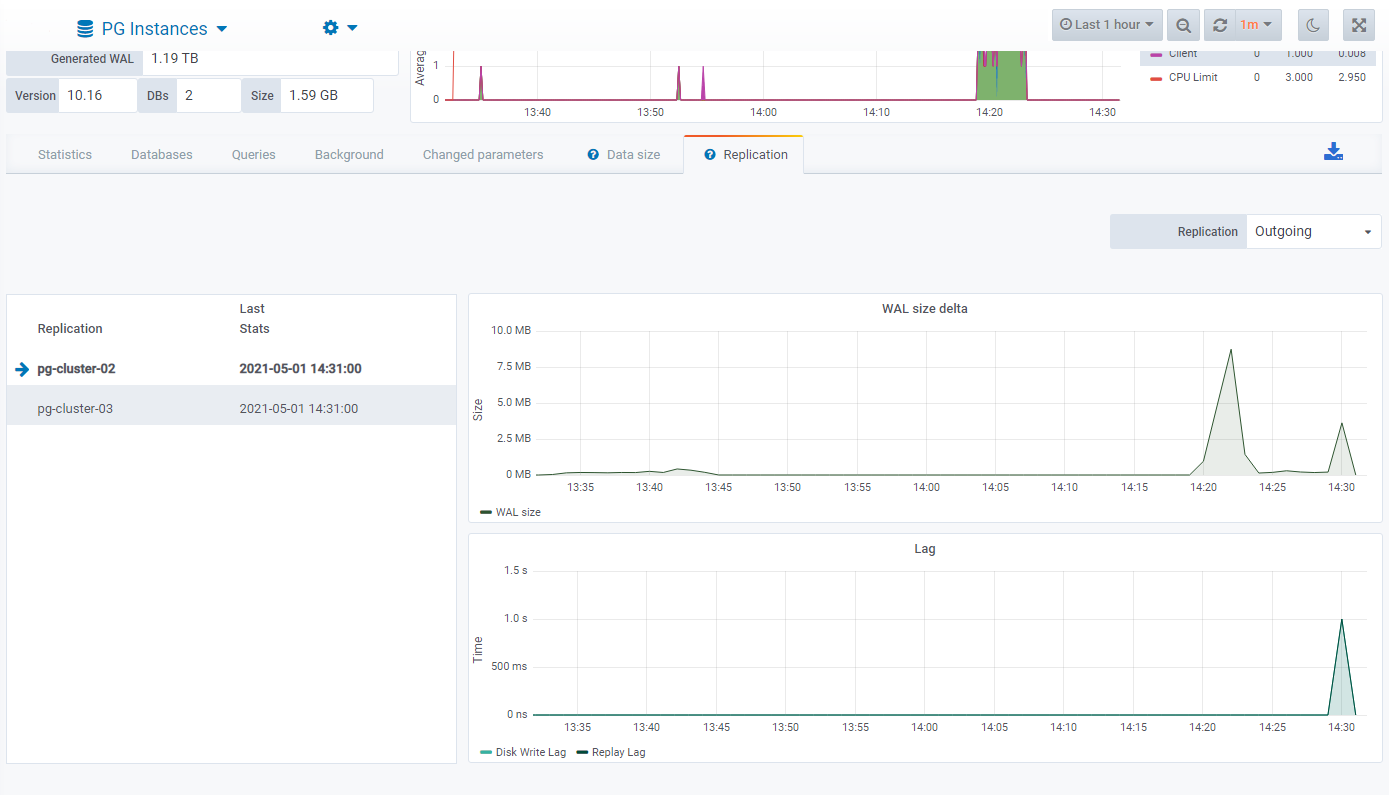
Datasentinel collects and logs replication statistics for PostgreSQL read replicas, providing clear visibility into replication health.

For each replica, Datasentinel allows you to:

* View the **WAL delta size**, representing the amount of data remaining to be replicated
* Monitor **replication delay**, indicating how far replicas lag behind the primary instance

<div data-with-frame="true"><figure><img src="/files/C2k9AGxEcGuoC59FTvgF" alt=""><figcaption></figcaption></figure></div>

## Common Use Cases

Typical HA cluster monitoring scenarios include:

* Analyzing total workload across primary and replicas
* Verifying that read traffic is correctly routed to replicas
* Comparing query patterns between instances
* Monitoring cluster behavior during failover events

## Best Practices

* Use consistent tags across all instances in an HA cluster
* Combine cluster-level analysis with instance-level dashboards
* Review workload distribution regularly
* Use tags to control access to entire clusters via RBAC

{% hint style="info" %}
Datasentinel is compatible with read replicas from managed PostgreSQL services offered by major public cloud providers, including Amazon RDS, Microsoft Azure, and Google Cloud.
{% endhint %}

## Conclusion

Datasentinel provides clear visibility into high-availability PostgreSQL environments by automatically detecting primary and replica roles and enabling consolidated activity analysis across instances.


---

# Agent Instructions: Querying This Documentation

If you need additional information that is not directly available in this page, you can query the documentation dynamically by asking a question.

Perform an HTTP GET request on the current page URL with the `ask` query parameter:

```
GET https://docs.datasentinel.io/manual/guides/readme/monitor-high-availability-clusters.md?ask=<question>
```

The question should be specific, self-contained, and written in natural language.
The response will contain a direct answer to the question and relevant excerpts and sources from the documentation.

Use this mechanism when the answer is not explicitly present in the current page, you need clarification or additional context, or you want to retrieve related documentation sections.